 Queryline
Your Search Console numbers, in plain words.
Queryline shows clicks, impressions, click-through rate and average position for every site you look after, and writes a short note each week about what changed. For iPhone, iPad and Mac.
The Sites screen, this morning
Three reasons people switch to Queryline.
It's built to be trusted
You sign in on Google's own page. Queryline never sees your password.
- Read-only access. It can't change your sites or settings.
- No servers. Your data stays on your iPhone, iPad or Mac.
- App Store privacy label: Data Not Collected.
- One button deletes everything.
Every site is free
Every site you manage is free for the last 28 days: clicks, impressions, CTR, position, top queries and top pages.
Pro adds
"This Week" tells you what changed
A plain-English note about what changed on each site, with the numbers.
Written on your device, by Apple Intelligence where it's available. No cloud AI is involved.
Three screens do most of the work.
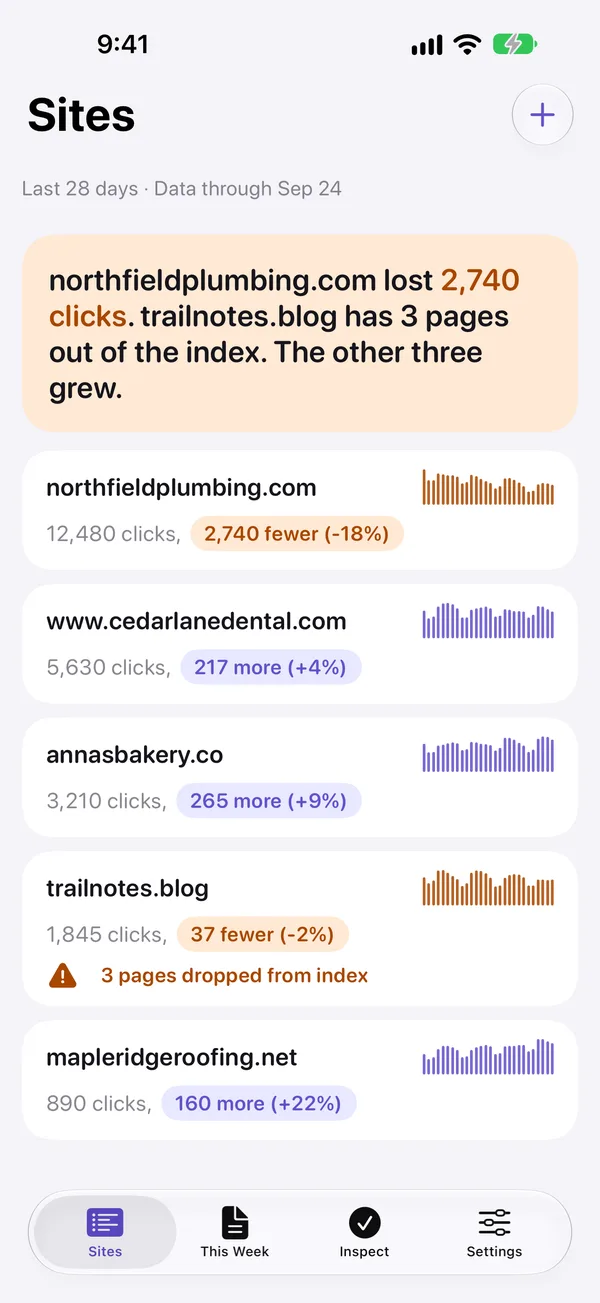
Sites. Which site moved, in one line.
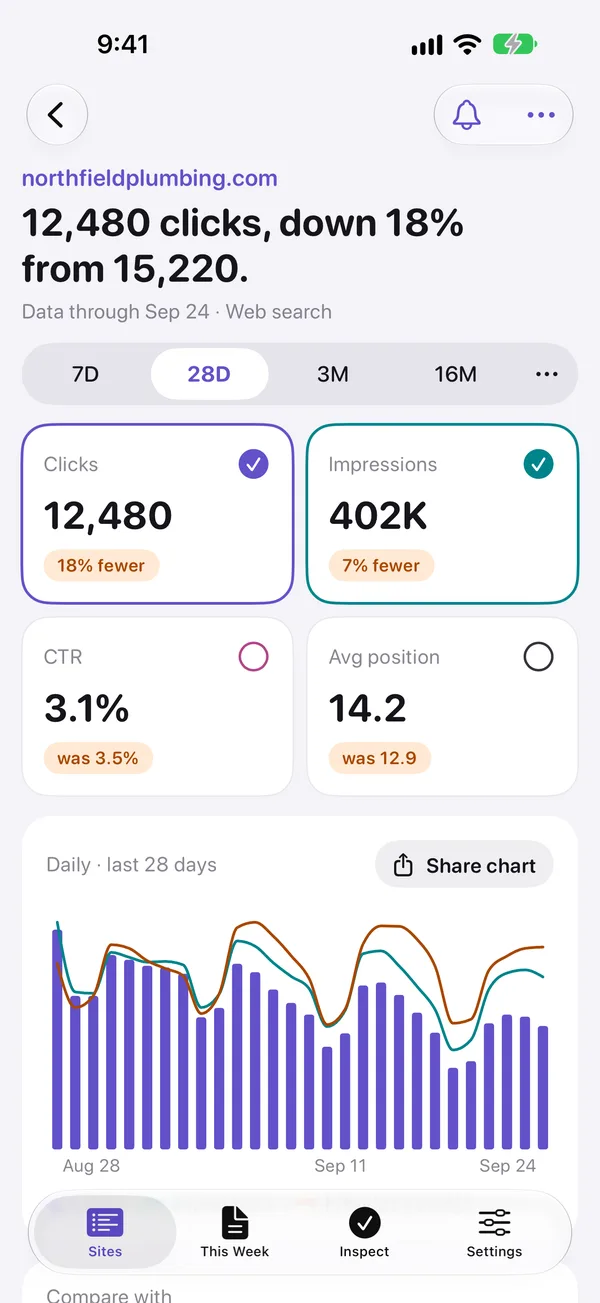
Site detail. The numbers behind it.
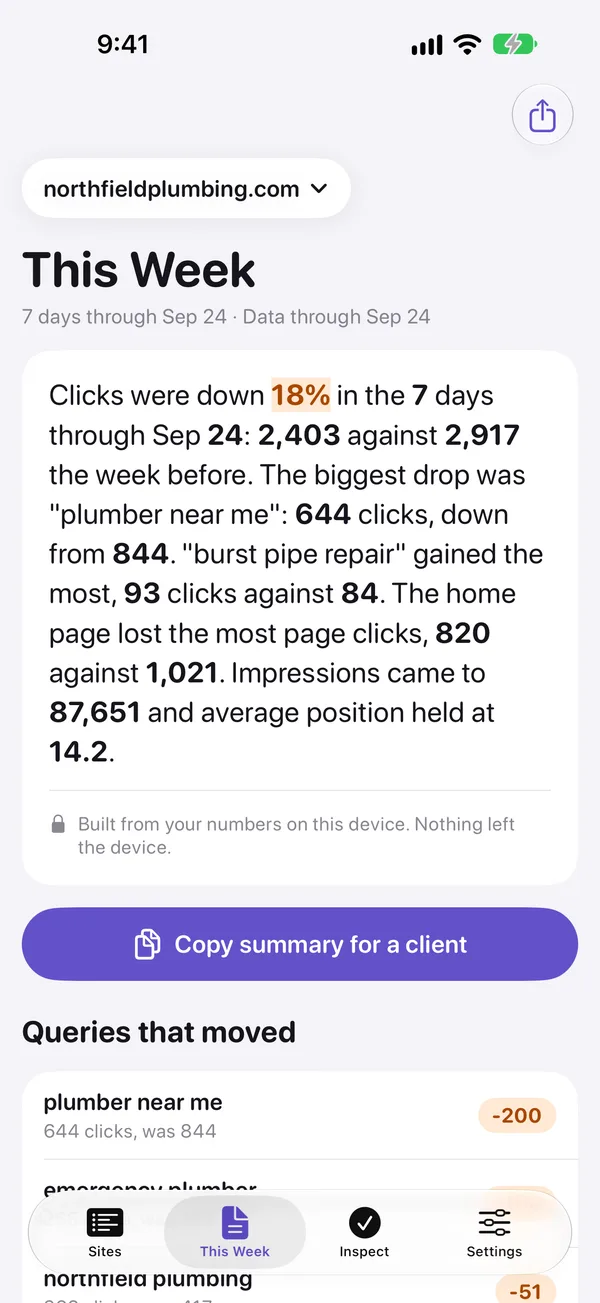
This Week. What changed, in words.
Free for the last 28 days.
Pro for everything else.
Prices in US dollars. Billed by Apple. Cancel anytime in Settings.
- 16 months of history and custom ranges
- Year-over-year comparison
- Filters across queries, pages, countries and devices
- Full tables and CSV export
- This Week notes
- Alerts and widgets
- More Google accounts
Questions
Is Queryline made by Google?
No. Queryline is made by Sang Huynh, an independent developer, and is not affiliated with or endorsed by Google. It reads your data through Google's official Search Console API, with your permission.
Can it change my site?
No. Queryline asks Google for read-only access. It can't change your sites, settings, users or sitemaps in Search Console.
Where is my data?
On your device. Numbers go from Google straight to your iPhone, iPad or Mac. There's no Queryline server and no account. Settings, Delete all data & sign out removes everything.
Can it request indexing?
No. Google doesn't offer "Request indexing" to apps. Queryline can check whether a page is indexed and why, and you can request indexing on the Search Console website.